Shopify App

Print orders in the exact order you need

PrintSort Pro adds smart sorting to Shopify's native Print action. Prioritize by product, vendor, SKU, tag, or metafield — then print invoices, packing slips, and pick lists in one click.

1
#1042 — Sarah Johnson
Vendor: Premium Supplies • rush
Priority
2
#1038 — Mike Chen
Vendor: Premium Supplies • rush
Priority
3
#1045 — Alex Kim
Vendor: General Goods • standard
Standard
4
#1041 — Pat Rivera
Vendor: General Goods • standard
Standard

Everything you need to print smarter

Stop wasting time manually reorganizing printed documents. PrintSort Pro handles the sorting so you can focus on fulfillment.

Priority Sorting

Print orders with specific products, vendors, or tags first. Rush orders always come out on top of the stack.

Multi-Level Sort Rules

Combine AND/OR conditions across product, vendor, SKU, tag, and metafield values. Build exactly the sort logic you need.

Liquid Template Editor

Customize invoices, packing slips, and pick lists with a full Liquid editor, live preview, and syntax highlighting.

Built-In Templates

Start printing immediately with professional templates for invoices, packing slips, and pick lists. No setup required.

Native Print Action

Works directly from Shopify's admin Print action. Select orders, pick a sort preset, and print. No extra steps or workflows.

See PrintSort Pro at work

From order selection to sorted print output — all within Shopify's admin.

Print directly from Orders

Select orders in the Shopify admin, click Print, and choose PrintSort Pro. Pick your document type and sort preset right in the print dialog — no need to leave the page.
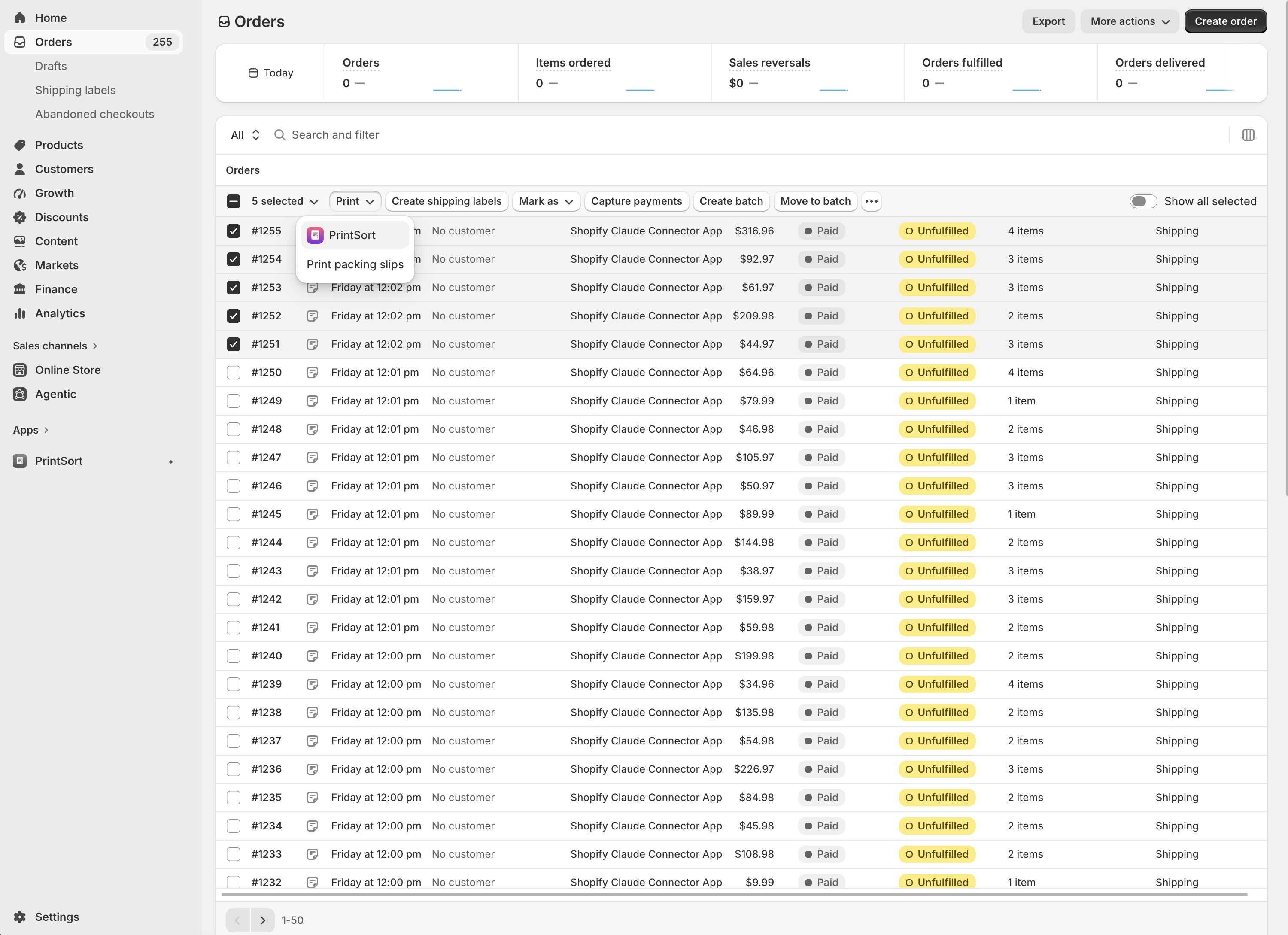
PrintSort Pro print action in Shopify admin orders page

Sort and preview in one step

The PrintSort Pro dialog shows your sorted documents in real-time. Pick a document type, choose a sort preset, and preview the output before printing — all without leaving the orders page.
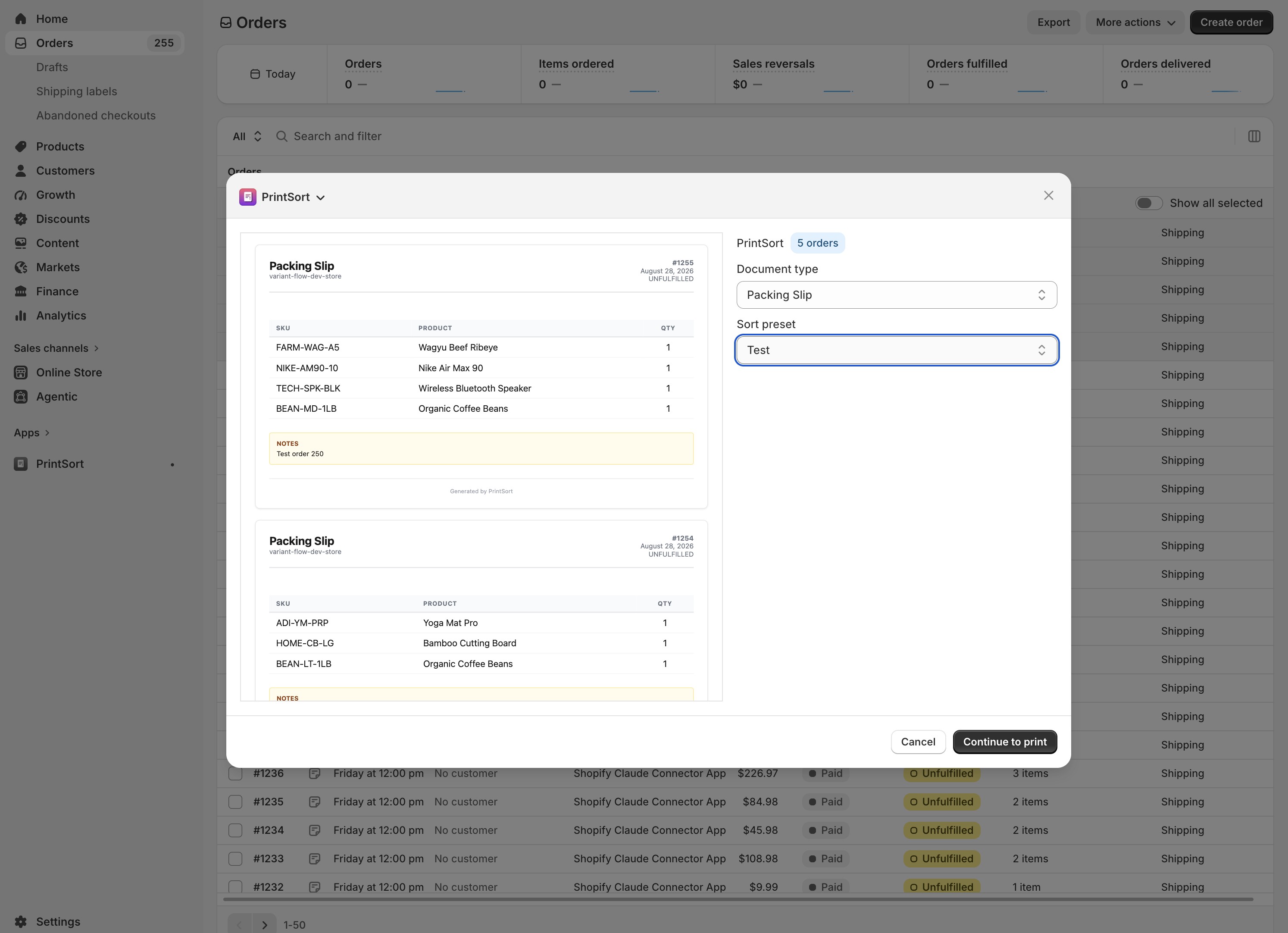
PrintSort Pro print dialog with sorted packing slips

Build powerful sort presets

Create priority groups with AND/OR conditions to control exactly which orders print first. Sort by vendor, product, SKU, tag, metafield, or any combination — with multiple sort levels.
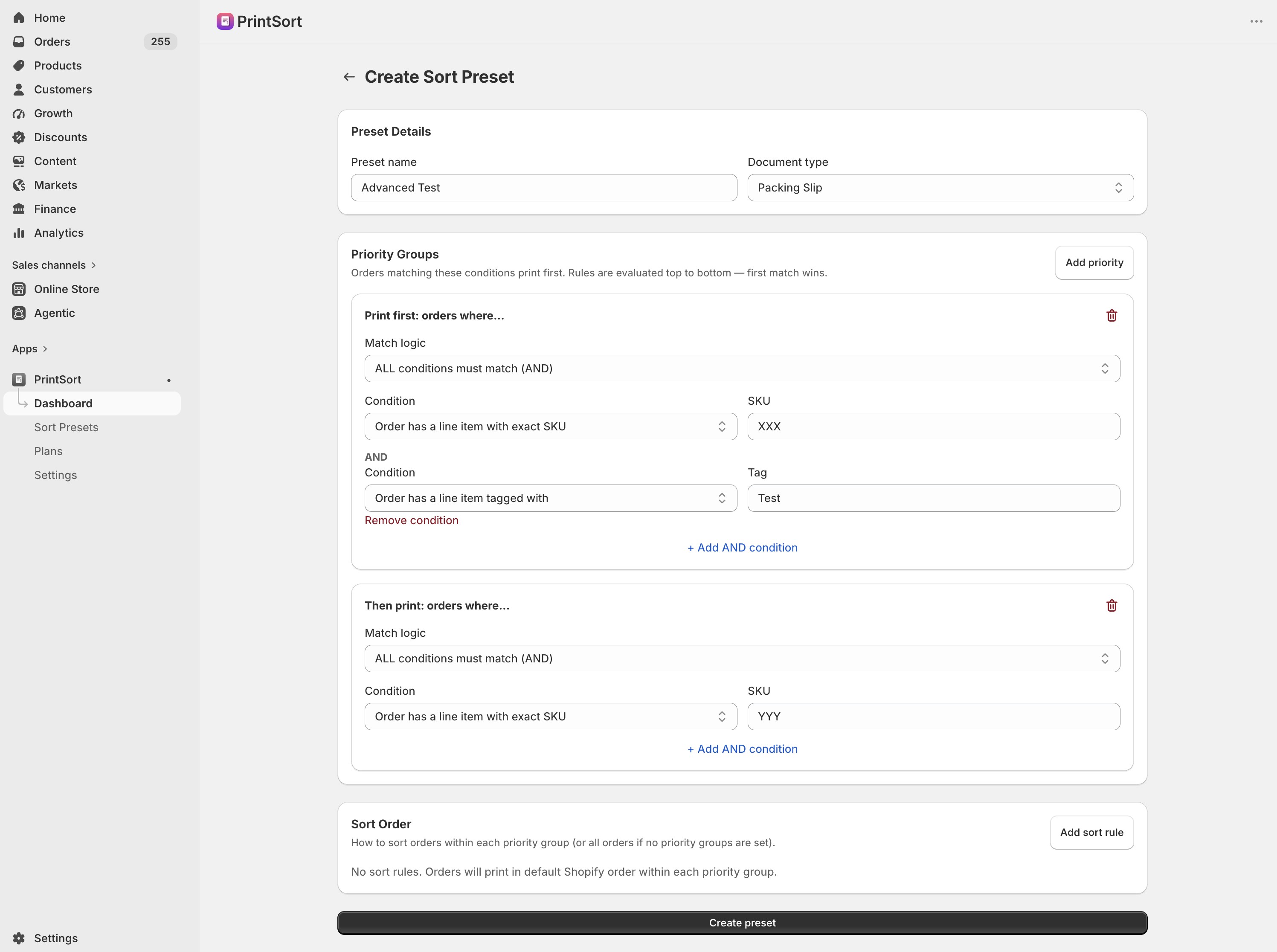
PrintSort Pro preset editor with multiple priority groups

Sort by any order attribute

Choose from product ID, variant ID, exact SKU, SKU prefix, tags, vendor, product type, order metafields, or customer metafields. Every condition type you need to sort your print run.
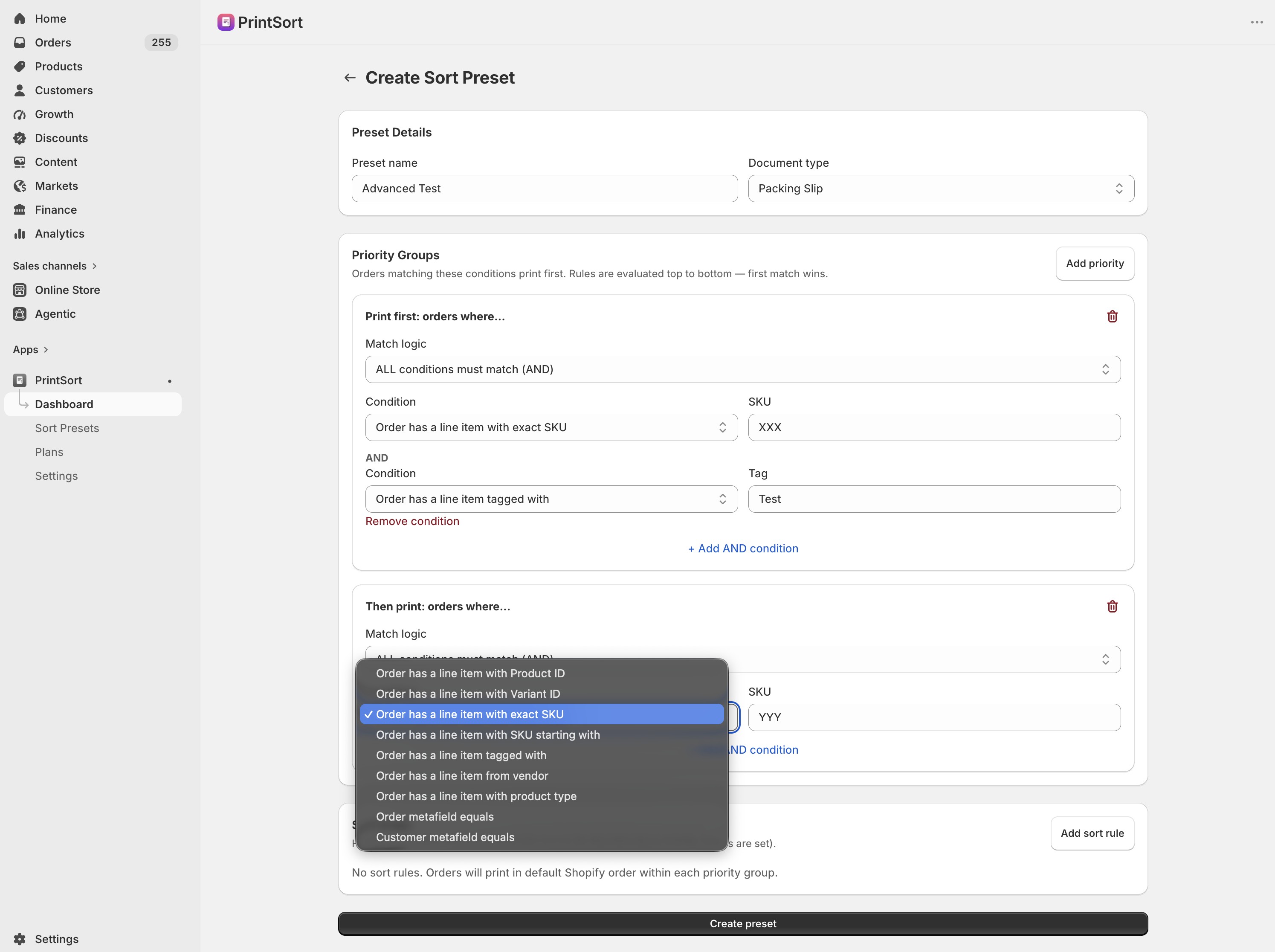
PrintSort Pro sort condition dropdown showing all options

Customize your templates

Edit your invoice, packing slip, and pick list templates with a full Liquid code editor. See changes instantly in the live preview. Format your code with one click.
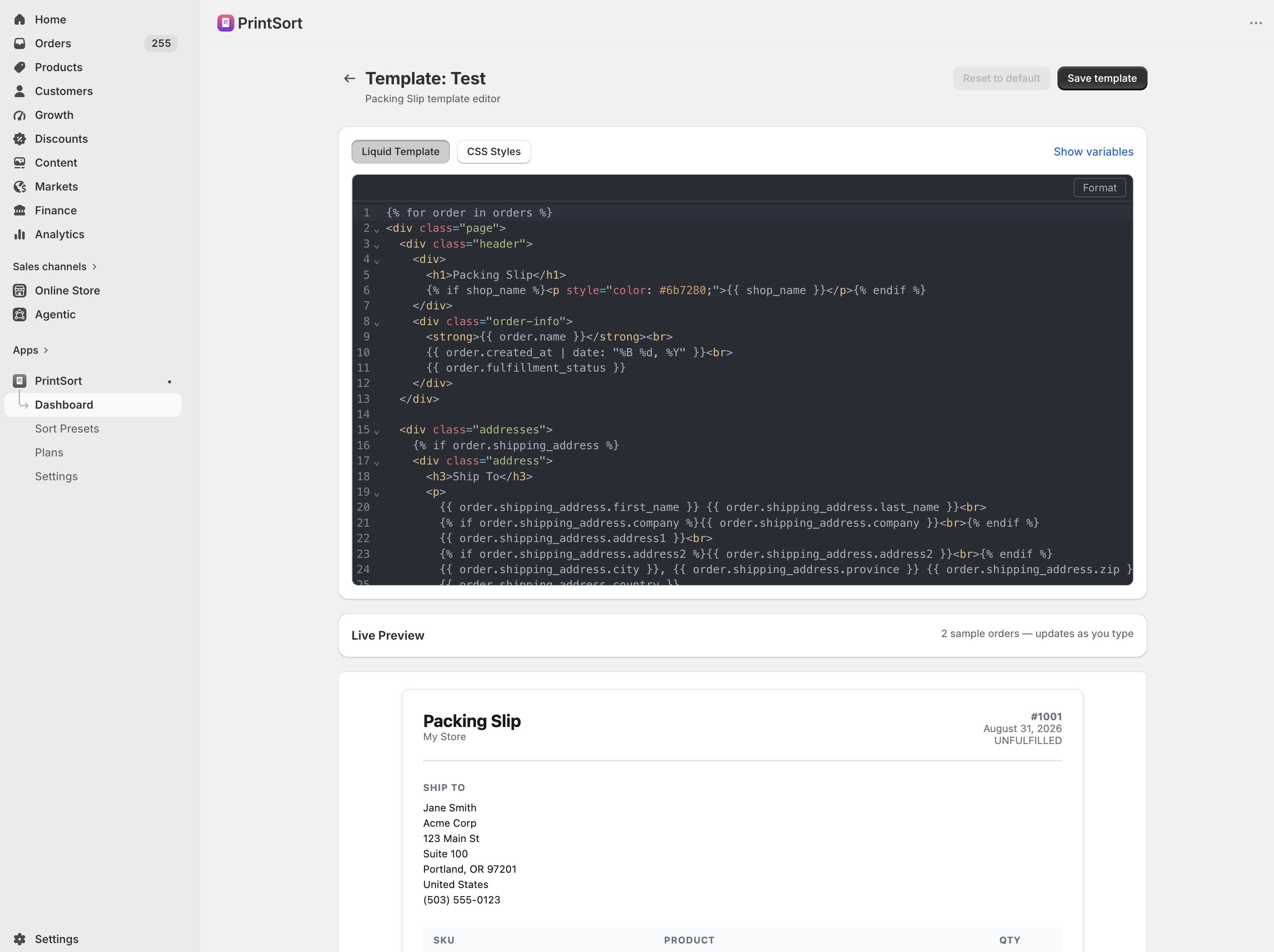
PrintSort Pro Liquid template editor with live preview

Three steps to sorted printing

PrintSort Pro integrates directly into the workflow you already use.

1

Select Orders

Choose the orders you want to print from your Shopify admin, just like you normally would.

2

Choose a Preset

Pick a sort preset that matches your workflow — priority items first, sorted by vendor, date, or any custom rule.

3

Print Sorted

PrintSort Pro reorders your documents and sends them to print. Every page comes out exactly where it should.

Simple, transparent pricing

Start free. Upgrade when you need more power.

Free
$0/mo
 
  • 1 sort preset
  • Default print templates
  • Invoices, packing slips, pick lists
  • Up to 250 orders per batch
Get Started
Business
$29/mo
7-day free trial
  • Everything in Pro
  • Custom Liquid template editor
  • Live preview with formatting
  • Priority support
Start Free Trial

Frequently asked questions

Everything you need to know about PrintSort Pro.

PrintSort Pro is a Shopify app that lets you sort your order documents before printing. Instead of printing in default order, you can prioritize orders by product, vendor, SKU, tag, metafield, or any combination.

Create sort presets with priority groups and sort rules. Priority groups let you print orders matching certain conditions first (e.g., all orders containing a specific product). Sort rules control the order within groups (by date, price, order number, etc.).

Invoices, packing slips, and pick lists. Each can have its own custom template.

Yes. The Pro plan includes a Liquid template editor with live preview, code formatting, and syntax highlighting. You can always reset to the default template.

PrintSort Pro supports batch printing up to 250 orders per print action, which covers most merchants' needs.

Yes. You can sort by order metafields, customer metafields, and use metafield values in your custom templates.

Have a question?

We would love to hear from you. Send us a message and we will get back to you promptly.

Ready to print smarter?

Install PrintSort Pro for free and start sorting your order documents today.

Install on Shopify